
P999 Easypaisa deposits and withdrawals follow the same in-app wallet flow as JazzCash and every other method — this page covers the Easypaisa-specific detail for 2026: choosing Easypaisa at the Deposit or Withdraw screen, matching your Easypaisa account name and number exactly so a withdrawal isn’t rejected, checking your balance and account-tier limits first, and troubleshooting a failed or delayed Easypaisa transaction.
Use one consistent Easypaisa number, and never share your Easypaisa PIN — no legitimate P999 screen asks for it. For the full step-by-step deposit and withdrawal guides, see P999 payment methods.
Depositing with EasyPaisa
Open Wallet → Deposit, select EasyPaisa, enter your amount, and confirm inside the EasyPaisa app when prompted. This follows the same flow described in our full deposit guide.
Withdrawing to EasyPaisa
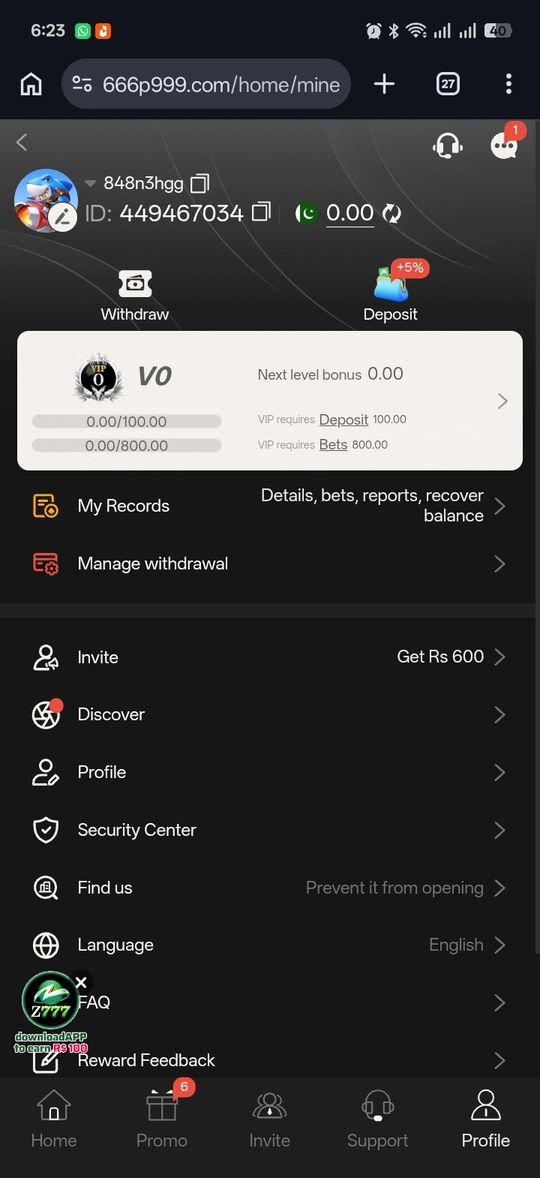
Open Wallet → Withdraw, select EasyPaisa as the destination, enter the amount and your EasyPaisa number, and confirm. Processing time follows the same range as any other method — see our withdrawal guide.
Matching Account Details
As with any method, withdrawing to an EasyPaisa number that doesn't match your registered details is a common cause of delay or rejection — confirm the number before submitting.
What EasyPaisa Is, Briefly
EasyPaisa is a branchless mobile wallet service operated by Telenor Pakistan, similarly used for mobile top-ups, bill payments, merchant payments, and transfers alongside platform deposits like this one. If you already use EasyPaisa day-to-day, the same account works here without any additional EasyPaisa-side setup specific to P999.
Checking Your EasyPaisa Balance and Limits
As with any mobile wallet, EasyPaisa applies its own transaction limits based on your account tier, independent of whatever platform you're sending to. If a deposit or withdrawal fails immediately at the EasyPaisa confirmation screen rather than showing any error inside P999, that's a sign the limit or balance issue is on the EasyPaisa side — checking your EasyPaisa app's own transaction history and limits clears this up quickly.
EasyPaisa PIN Security
Your EasyPaisa PIN confirms transactions within the EasyPaisa app and is entirely separate from your P999 login OTP. Neither should ever be shared with anyone outside the official EasyPaisa or P999 app itself — a request for your EasyPaisa PIN from anyone claiming to be P999 support, or vice versa, is a clear warning sign.
Troubleshooting a Failed EasyPaisa Transaction
Failures at the EasyPaisa step are usually specific to the wallet rather than P999 itself.
- Insufficient EasyPaisa balance to cover the transfer plus any fee
- An EasyPaisa account limit reached for the day or month
- An incorrect PIN entry or an expired confirmation prompt
- A temporary EasyPaisa service outage, resolved on EasyPaisa's own timeline
EasyPaisa Account Tiers and Why They Matter Here
Like most branchless banking wallets, EasyPaisa offers different account tiers with different transaction limits — a basic account typically has lower daily and monthly limits than a fully verified one. If you regularly bump against a transaction limit while using P999, upgrading your EasyPaisa account tier (handled entirely through EasyPaisa, not P999) is the relevant fix.
Keeping EasyPaisa and P999 Records Separate but Consistent
EasyPaisa and P999 maintain independent transaction histories, so periodically comparing the two rather than relying on just one is a useful habit — a transfer that shows as sent in EasyPaisa but hasn't reflected in your P999 balance yet, or the reverse, is easier to resolve quickly if you're already tracking both records.
Using One Consistent EasyPaisa Number
We found no consistent evidence that portals support linking more than one EasyPaisa number to a single P999 account. Sticking with one EasyPaisa number for all your deposits and withdrawals — the same one tied to your registered P999 mobile number, where possible — keeps your transaction history simpler to reconcile and avoids the destination-mismatch issue that causes some withdrawal delays.
Using JazzCash instead of EasyPaisa
JazzCash works on P999 exactly like EasyPaisa — the same Wallet screen, the same Deposit and Withdraw steps, and the same processing-time variability. Open Wallet → Deposit or Wallet → Withdraw, choose JazzCash, enter the amount and your JazzCash number, and confirm in the JazzCash app when prompted.
- Match your details: withdrawing to a JazzCash number that doesn’t match your registered account is a common cause of a rejected or delayed request — check it before submitting.
- Your MPIN is not your OTP: the JazzCash MPIN confirms the transfer on JazzCash’s side and is entirely separate from your P999 login OTP. Never share either, and never enter your MPIN anywhere except the official JazzCash app.
- Account tier limits: a basic JazzCash account has lower daily and monthly limits than a verified one. If a transfer fails at the JazzCash confirmation step rather than inside P999, a wallet-side limit is the likely cause — upgrading your JazzCash tier is handled by JazzCash, not P999.
- Failed JazzCash transfer: usually insufficient balance, a daily/monthly limit reached, a wrong MPIN, or a temporary JazzCash outage — none of which P999 controls.
Keep your own note of what you sent and received; comparing the JazzCash history against your P999 balance is the fastest way to spot a transfer that went out but hasn’t landed yet.
Pros and cons
- Widely available and familiar to most Pakistani users
- Same steps as any other supported method
- No separate EasyPaisa-specific registration needed beyond your existing account
- No EasyPaisa-specific minimum or processing time confirmed beyond what applies platform-wide
- EasyPaisa's own account limits and fees are set independently of P999 and require checking separately
Verdict
EasyPaisa works exactly like any other supported payment method on P999 — the same Wallet screen, the same steps, and the same processing-time variability described in our main payments guide. Most EasyPaisa-specific issues trace back to the wallet's own balance, limits, or PIN rather than anything on P999's side.