
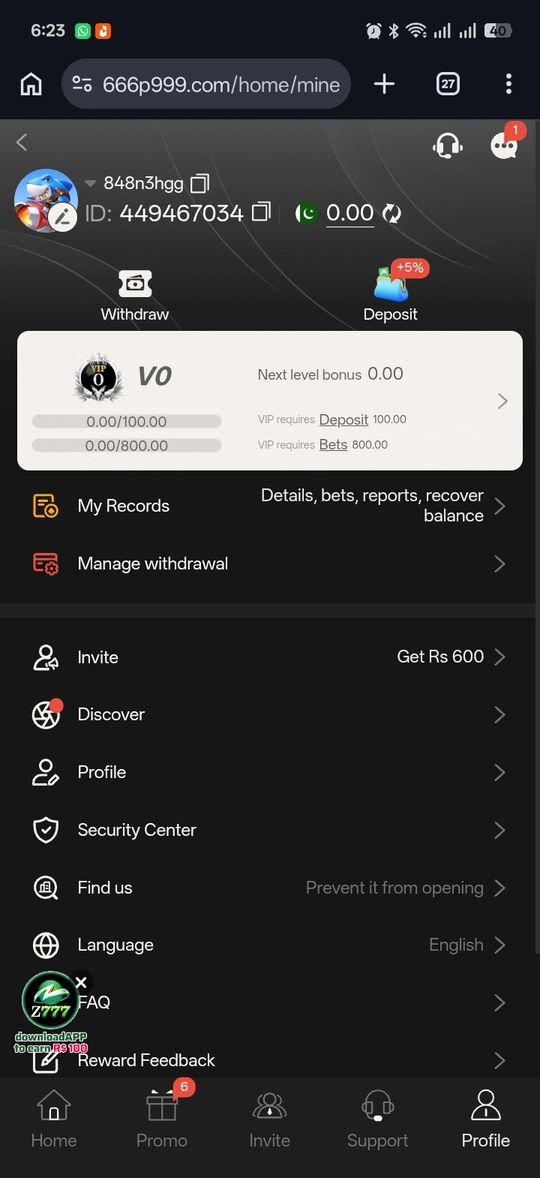
A P999 deposit runs through the in-app wallet using EasyPaisa or JazzCash — there’s no separate payment website. This 2026 guide covers the exact step-by-step flow, what the minimum deposit typically looks like (portals commonly report around Rs 500, but it varies), and what to check if a deposit doesn’t show up in your balance.
Most “deposit not received” cases resolve on their own within a few minutes or turn out to be a mismatch you can spot in My Records. For the full payments picture including withdrawals, see the P999 payment methods guide.
How to Deposit, Step by Step
The same flow across the portals we reviewed, regardless of which wallet you use.
- Log in with your mobile number and OTP
- Open Wallet, then tap Deposit
- Choose EasyPaisa or JazzCash (bank transfer where listed)
- Enter the amount and confirm inside your wallet app when prompted
- Balance updates within a minute or two for most mobile-wallet deposits
Minimum Deposit
Around Rs 500 is what's typically reported across the portals we checked. This isn't confirmed as a single platform-wide figure, so check the amount shown inside the specific app you're using before assuming it applies everywhere.
If a Deposit Doesn't Reflect
Check before assuming it failed.
- Open My Records or your transaction history under your account
- Confirm the transaction actually completed on the EasyPaisa/JazzCash side, not just inside P999
- Refresh the app — most near-instant deposits just haven't synced to the display yet
- Give it a few minutes before contacting support; most of these resolve without any action needed
Confirming Your Wallet Has Sufficient Balance
Before starting a deposit, check that your EasyPaisa or JazzCash balance actually covers the amount you're about to send, including any transfer fee your wallet provider applies on its side. A deposit that fails at the wallet-confirmation step because of insufficient funds can sometimes still show as a pending or attempted transaction inside P999 briefly, even though nothing was actually transferred — checking your wallet app's own transaction log clears up which side the failure happened on.
Repeated Small Deposits vs. One Larger Deposit
Nothing in what we reviewed suggests P999 treats several small deposits differently from one larger deposit of the same total — but your wallet provider may apply a transfer fee per transaction rather than per rupee, which can make several small deposits more expensive in fees than one combined deposit. If you're planning to deposit a specific total, checking your wallet's own fee structure for multiple smaller transfers versus one larger one is worth the minute it takes.
First-Time Deposit Considerations
Your very first deposit is also frequently the trigger for a first-deposit match bonus on portals that offer one — see our bonuses guide for how that mechanic works. If you're planning to claim a specific promotional offer, confirm the terms (minimum qualifying amount, any time window) are shown and active before completing the deposit, since bonus terms are exactly the kind of detail that varies by portal and can change without notice.
Depositing on a Shared or Public Device
If you ever access P999 from a device you don't fully control — a shared family phone, a friend's device to check something quickly — avoid completing a deposit or entering wallet-confirmation details on it if you can help it. Your P999 session and your wallet app's own login are both tied to credentials you don't want lingering on a device someone else can pick up. Logging out of both afterward, and clearing the browser session if you used browser access, is worth the extra few seconds.
What Happens to Deposited Funds Before You Play
Once a deposit reflects in your P999 wallet balance, it sits there as playable balance until you use it in a game or withdraw it back out — there's no separate "pending investment" or interest-bearing state to it. This is a straightforward top-up-and-spend model rather than anything resembling a savings or investment product, which is worth keeping in mind given how easily gaming-adjacent language can blur that distinction. See our note on earning-app framing for more on this.
Pros and cons
- Same familiar mobile-wallet flow most Pakistani users already know
- Usually near-instant once confirmed on the wallet side
- No separate payment-provider registration needed beyond your existing wallet account
- Minimum deposit isn't confirmed as one fixed platform-wide number
- No universal receipt or confirmation format across portals
- Wallet-side transfer fees, where they apply, are set by EasyPaisa/JazzCash rather than disclosed by P999 itself
Verdict
Depositing on P999 is a short, familiar flow through EasyPaisa or JazzCash. The one thing worth confirming for yourself is the current minimum, since that figure varies by portal rather than being fixed platform-wide.